Made for User Research
Fabric for user researchers
Every interview, transcript, and synthesis note searchable by meaning. Find that one quote across dozens of sessions.
User research produces some of the richest, most underused data in any organisation. You run twenty interviews, each generating an hour of recording, a transcript, and a page of notes. You conduct usability tests, card sorts, diary studies. You annotate screenshots, record observations, and write synthesis memos. The research is thorough. And then it dies. The transcripts go into a Google Drive folder nobody opens again. The synthesis lives in a presentation that gets shared once. When a product manager asks six months later "what did users say about onboarding," the answer requires re-reading a dozen transcripts, and nobody has time for that, so the team makes the decision without the research. The waste isn't in the doing. It's in the inability to retrieve what was done.
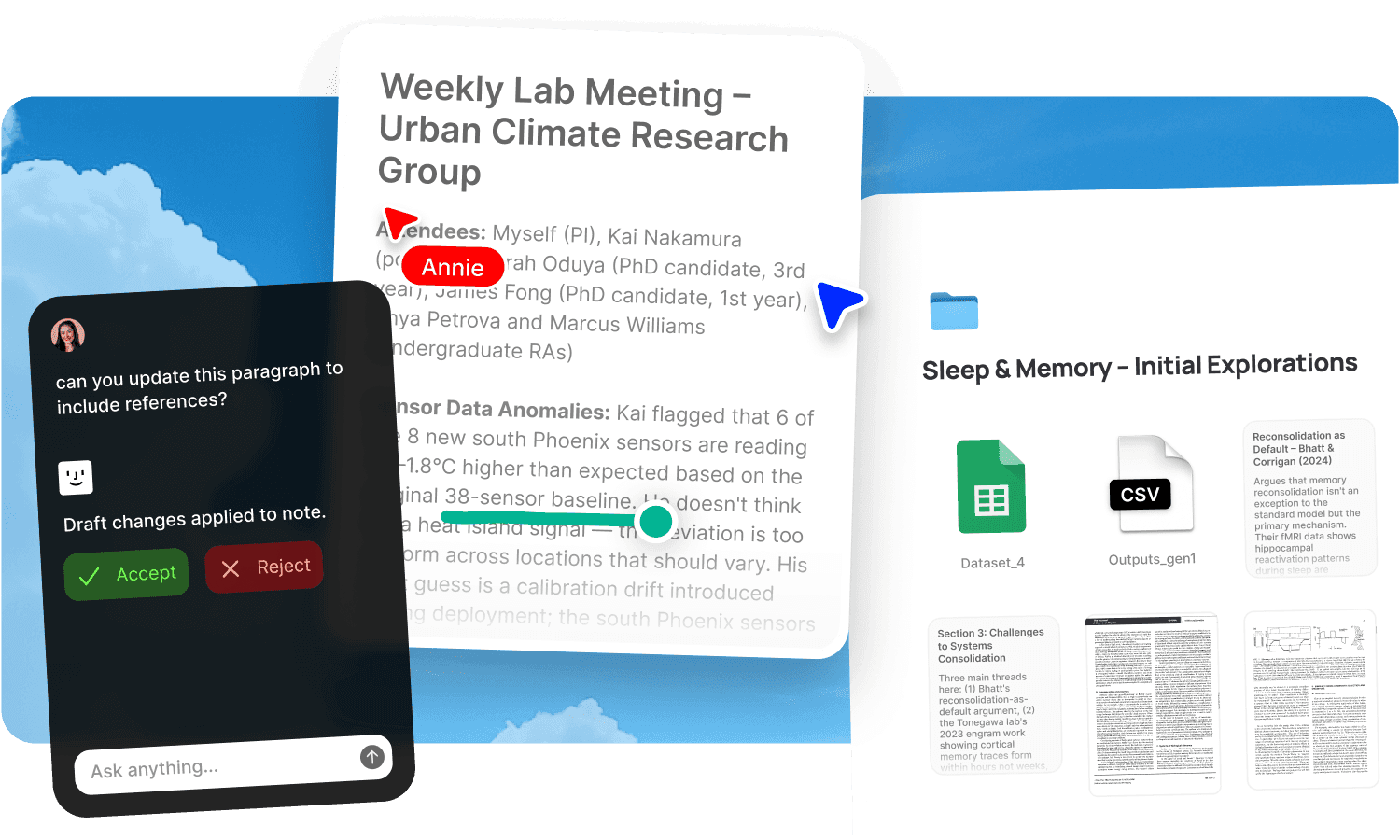
Fabric gives user researchers a searchable repository where every interview, transcript, recording, synthesis note, and observation is findable by meaning, so the research stays alive long after the study ends.
Search across every interview by meaning
The core problem in user research is retrieval. You know a participant said something brilliant about their workflow, but you can't remember which participant, which session, or the exact words. Finding it means scrubbing through recordings or re-reading transcripts until you recognise the moment. With twenty interviews, this is a research project in itself.
Fabric's AI search reads inside every transcript, note, recording, and document and searches by meaning. Ask "what did participants say about confusion during checkout" and find the relevant quotes from every session where it came up, regardless of the exact words each participant used. The search works on concepts, not keywords, so paraphrased and varied expressions of the same insight all surface together.
The AI assistant synthesises across sessions. Ask it to summarise what participants said about a feature, compare responses across different user segments, or identify the three most common frustrations. It draws on your transcripts and notes, producing synthesis grounded in the actual data.
Transcription that feeds the research
Recording interviews is standard practice. Making those recordings useful afterward is where most workflows break down. Fabric's AI voice notes and audio and video transcription turn every recording into searchable text. Record a user interview, and the transcript lands in your research space, indexed and queryable.
The transcripts don't sit in isolation. They're searchable alongside your observation notes, your annotations, and your synthesis documents. When you search for a concept, results come from across transcripts, notes, and memos together, which is how synthesis actually works: pulling patterns from multiple sources at once.
Annotate and tag across sessions
Research analysis happens in the margins. The important work is highlighting a quote, tagging a theme, noting a pattern, and connecting an observation from session five to one from session twelve.
Annotations let you highlight, comment, and tag directly on transcripts, documents, screenshots, and recordings. Those annotations are searchable, so a tag or comment you added during session five is findable when you're synthesising across all twenty sessions. The marginal thinking you do while reviewing data becomes part of the searchable research repository.
Smart organization adds automatic metadata and tagging, so material is categorised as you add it. Build smart collections that auto-populate based on tags, themes, or content type, so your affinity clusters form as the data accumulates rather than requiring a separate analysis pass.
Synthesis on the canvas
Affinity mapping, thematic analysis, and pattern finding are spatial activities. You need to see quotes, observations, and themes side by side, move them around, group them, and see what clusters. A document doesn't support this. A spreadsheet barely does.
The canvas is an infinite spatial workspace where you can drag quotes, observations, transcript excerpts, screenshots, and notes from your research library and arrange them into themes. Build affinity maps by moving material around until the patterns emerge. The canvas supports real-time collaboration, so the research team can synthesise together.
Because the canvas draws from your Fabric library, the quotes and observations are linked to their sources. Click back to the full transcript from a quote on the canvas. The trail from insight to evidence stays intact.
Share findings with impact
Research that doesn't reach decision-makers is research that didn't happen. Fabric's publishing lets you share findings, key quotes, and synthesis documents with product managers, designers, and stakeholders via a link. Add password protection for sensitive participant data. Use link analytics to see who's engaged with the findings and who hasn't.
When a stakeholder has a question about users six months after the study, the research is still searchable. They can search the shared space or ask the AI directly. The findings stay alive as a resource, not a one-time presentation.
Use cases for user researchers
The workflows user researchers run in Fabric: conducting research projects with interview data and synthesis, capturing meeting notes from stakeholder sessions and debrief calls, brainstorming synthesis and frameworks on the canvas, maintaining a project documentation record of research decisions and methodology, and building a team wiki of research templates, methods, and past findings.
A user researcher's day in Fabric
Morning. You have three interviews scheduled today. Before the first, you review your discussion guide in notes and docs and ask the AI assistant to summarise what previous participants have said about the topic. You refine a probe question based on a pattern that's emerging.
The interviews. You record each session with voice notes. You type brief observation notes during the conversation. After each session, the transcript joins the research space, searchable alongside the others.
Afternoon. You begin analysis. You search "moments where participants expressed frustration with navigation" and the AI surfaces relevant quotes from across all sessions, not just today's. You annotate key quotes with theme tags directly on the transcripts.
Late afternoon. You drag tagged quotes onto the canvas and begin grouping them into themes. Three clusters emerge. You write a synthesis note for each, linked to the supporting evidence.
End of day. You publish a preliminary findings document with key quotes and share it with the product manager. Link analytics will tell you whether she reads it before tomorrow's prioritisation meeting.
Get started
Build a research repository where every interview is searchable and synthesis draws on the full data set, not just what you remember. Try Fabric free.
For individual researchers across disciplines, see Fabric for researchers. For product managers who consume research, see Fabric for product managers. For team-wide research libraries, see Fabric for research teams.
FAQs
Can I search across all my interview transcripts at once?
Yes. AI search reads inside every transcript and searches by meaning. Find quotes about a specific topic across all sessions, regardless of the exact words each participant used.
Can the AI synthesise findings across multiple interviews?
Yes. The AI assistant can summarise what participants said about a feature, compare responses across segments, identify common themes, or surface contradictions across sessions. It works from your actual transcripts and notes.
Can I record and transcribe user interviews?
Yes. AI voice notes and audio and video transcription capture and transcribe interviews. The transcript lands in your research space, indexed and searchable alongside everything else.
Can I annotate transcripts with theme tags?
Yes. Annotate directly on any transcript, document, or screenshot with highlights, comments, and tags. Annotations are searchable, so a theme tag added during one session is findable across all sessions.
Can I do affinity mapping in Fabric?
Yes. Drag quotes, observations, and notes from your research library onto the canvas and arrange them spatially. Group by theme, move things around, and let the patterns emerge. The canvas supports real-time collaboration for team synthesis sessions.
Can I find that one quote from that one participant?
Yes. Describe what the participant said in plain language and AI search finds the relevant quote from the relevant session, even if you can't remember which participant or which interview.
Can I share findings with stakeholders?
Yes. Publish synthesis documents, key quotes, or full research reports with a link. Add password protection for sensitive data and use link analytics to track engagement.
Can the research team collaborate on synthesis?
Yes. Share a research space with the team. Real-time collaboration supports working on the canvas, notes, and annotations together with live cursors and threaded comments.
Does the research stay searchable after the study ends?
Yes. Everything in the research space stays indexed and queryable. When a product decision needs user evidence six months later, the research is still there and searchable by meaning.
Can I use Fabric for usability test recordings?
Yes. Save screen recordings and session videos. Audio and video transcription makes the spoken content searchable. Annotate observations directly on the recordings or on screenshots from the sessions.
How is this different from a dedicated research repository like Dovetail?
Dedicated research tools focus on coding and tagging transcripts for analysis. Fabric is a broader workspace that holds transcripts alongside every other type of research material, makes all of it searchable by meaning with AI, and supports spatial synthesis on the canvas. The AI synthesis layer is the key difference: instead of manually coding every quote, you can ask questions across your full data set and get synthesised answers with source references.
Is participant data secure?
Yes. Fabric uses AES-256 encryption, is CASA Tier 2 compliant, and does not use your data to train AI models. Participant recordings and transcripts are private by default and only visible to people you've shared the space with.
Can I import existing research from Google Drive?
Yes. Fabric connects to Google Drive, Dropbox, and Notion. Bring in existing transcripts, notes, and research documents without starting over.