Made for research teams
Every interview, every paper, every insight – findable
A hundred papers, fifty interview transcripts, a year of field notes. The insight you need is buried somewhere in the middle. Fabric finds it in seconds.
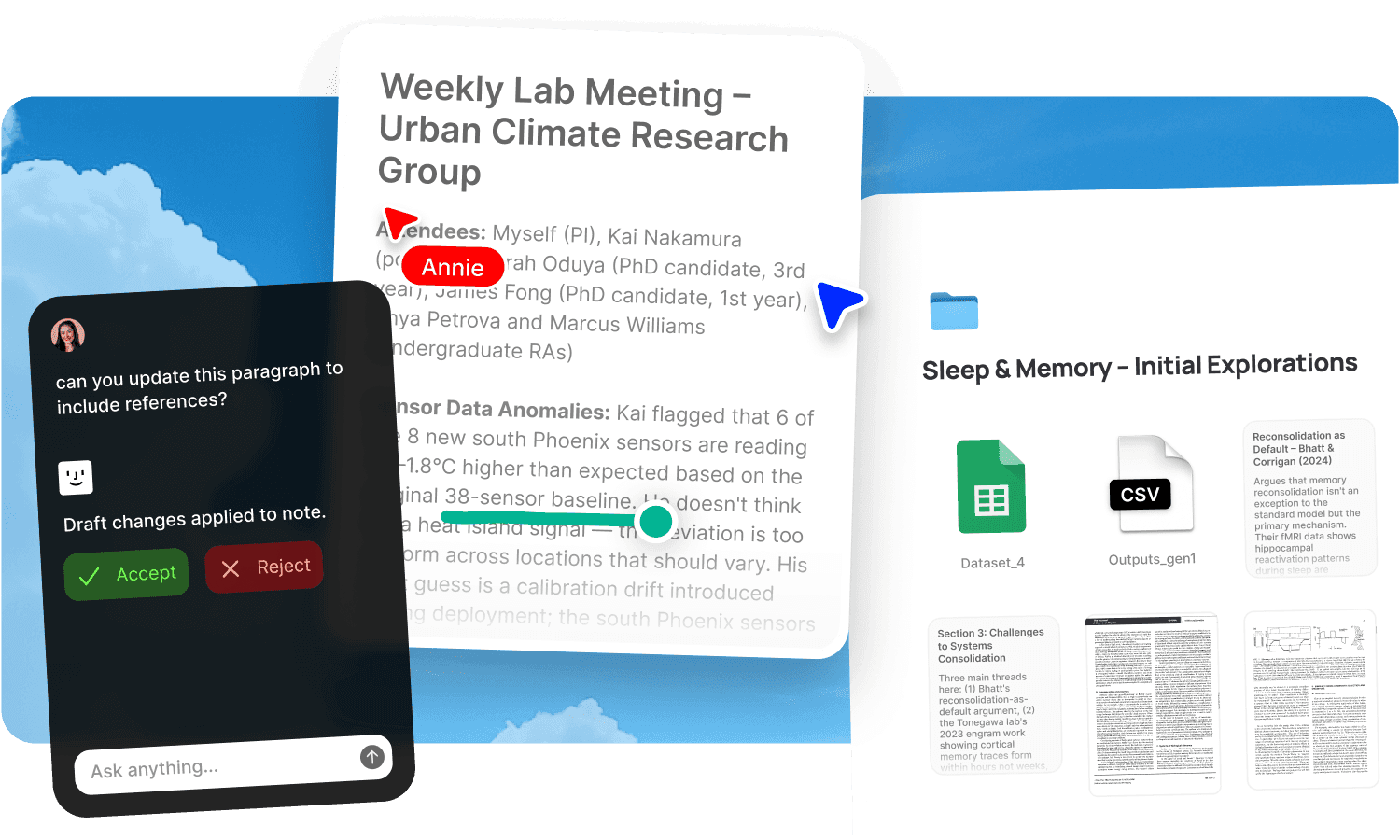
A hundred papers, fifty interview transcripts, a year of field notes, and the insight you need is buried somewhere in the middle. You know you've read it. You know someone on the team discussed it. You might even remember the rough timeframe. But finding it means opening documents one at a time, scrubbing through recordings, and asking colleagues if they remember which session it came from. The research was thorough. The retrieval is primitive. And every week the corpus grows, which means the retrieval problem gets worse even as the knowledge gets richer.
Fabric's AI search finds insights by meaning across your full research corpus: PDFs, notes, recorded discussions, and field observations. Self-writing docs produce a research repository that builds itself from your interviews and team discussions. Agents handle the operational overhead so researchers stay in the research.
AI search across every source, by meaning
AI search lets any team member ask "studies that challenge the consolidation model" or "participants who mentioned switching costs in the Q2 interviews" and get results across PDFs, notes, and recorded discussions, linked to the exact page or timestamp. The search works by meaning, not keyword match, so it finds relevant material even when different participants or authors described the same concept with different words.
The AI assistant synthesises across the full corpus. Ask it to compare findings across interview rounds, identify where papers disagree, trace the evolution of a theme across months of fieldwork, or pull together every data point on a specific question. It cites every source it draws from.
For the literature-specific workflow, see literature review. For the broader process, see research projects.
A research repository that builds itself
Self-writing docs produce a user research repository that grows from your actual work:
Interview summaries assembled from recorded sessions, capturing key findings, participant insights, and notable quotes without anyone writing them up manually.
Synthesised findings that update as new interviews are conducted, surfacing recurring themes and emerging patterns across the data set.
Methodology notes captured from lab meetings and team discussions, documenting how and why analytical decisions were made.
A decision log tracking research design choices, analytical pivots, and scope changes as they're discussed. When a peer reviewer asks "why did you use this approach," the reasoning is already documented.
Every new interview makes the repository richer without anyone maintaining it. The synthesis compounds rather than resetting with each study.
Agents that flag, extract, and coordinate
Agents go beyond retrieval. They act on behalf of the research team:
One monitors your RSS feeds and preprint servers and flags new papers matching your research focus, delivered to the team without anyone manually checking databases.
Another takes your interview transcript, extracts the key findings, updates the synthesis doc, and creates follow-up tasks for the team.
Another pulls together a weekly research digest from the team's activity: new papers reviewed, interviews conducted, findings documented.
The research thinking stays human. The administrative overhead doesn't have to be.
New members join mid-project without a handoff doc
When a new team member joins mid-project, the full history is searchable and navigable. Every paper, every transcript, every finding, every decision. They ask the AI assistant questions and get cited answers from the team's actual work. No handoff doc required. No week of someone explaining what's been done so far.
Self-writing onboarding docs stay current as the project evolves, so the onboarding experience reflects the actual state of the research, not a snapshot from when the project started.
For structuring onboarding, see onboarding new team members and the guide to onboarding collaborators.
Annotate, connect, and synthesise spatially
Annotations let team members highlight and comment on papers, transcripts, and field notes. The annotations are searchable across the full corpus, so a methodological note from one study is findable when the same question arises in another.
The explorer and similar search surface connections between papers, interviews, and notes that span different studies and different team members' work.
The canvas supports spatial synthesis with real-time collaboration: arrange findings, map themes, and build affinity diagrams together. For design-oriented research feedback, see design feedback.
Who on the team uses Fabric
Researchers manage papers and synthesis. User researchers build interview repositories with AI synthesis. Students work on dissertations and literature reviews. Product managers access research findings to ground product decisions. Writers use research as source material.
For structured approaches, see the guides to research workflow, dissertation workflow, and literature review.
Get started
Give your research team a repository that builds itself and makes every insight findable across the full corpus. Try Fabric free. See pricing for teams.
FAQs
Can any team member search across every paper, transcript, and note?
Yes. AI search reads inside every document and searches by meaning. Ask a question and get cited answers linked to the exact page or timestamp.
Does the research repository build itself?
Yes. Self-writing docs produce a user research repository from recorded interviews, notes, and team discussions. Interview summaries, synthesised findings, and methodology notes are assembled automatically.
Can agents flag new papers relevant to our research?
Yes. Agents monitor RSS feeds and preprint servers and flag papers matching your research focus.
Can agents extract findings from interview transcripts?
Yes. An agent reads the transcript, extracts key findings, updates the synthesis doc, and creates follow-up tasks for the team.
Can new team members join mid-project without a handoff?
Yes. The full project history is searchable from day one. New members ask the AI questions and get cited answers from the team's actual papers, transcripts, and decisions.
Can we annotate papers and transcripts together?
Yes. Annotations work on any file type. Highlights and comments are searchable across the full corpus and visible to the team.
Can we synthesise findings spatially?
Yes. The canvas supports spatial synthesis with real-time collaboration. Arrange findings, map themes, and build affinity diagrams together.
Does the synthesis compound across studies?
Yes. Every new interview, paper, and discussion deepens the repository. The AI draws on the full history, so questions asked after a year of research produce richer answers than the same questions asked after a month.
What tools does Fabric connect to?
Fabric connects to Google Drive, Dropbox, Notion, Gmail, Slack, and meeting tools. See connections for the full list.
Is our research data secure?
Yes. Fabric uses AES-256 encryption and is CASA Tier 2 compliant. Your team's data is never used to train AI models.
How is this different from a shared drive or reference manager?
A shared drive stores files by folder. A reference manager handles citations. Fabric reads inside every document and searches by meaning, produces a self-writing research repository from your interviews and discussions, and gives you agents that flag papers, extract findings, and coordinate the team. The difference is between storing research and having a living, searchable knowledge base that compounds with every study.