Made for Educators
Fabric for educators
Lesson plans, course materials, research, and student resources, all searchable and shareable from one workspace.
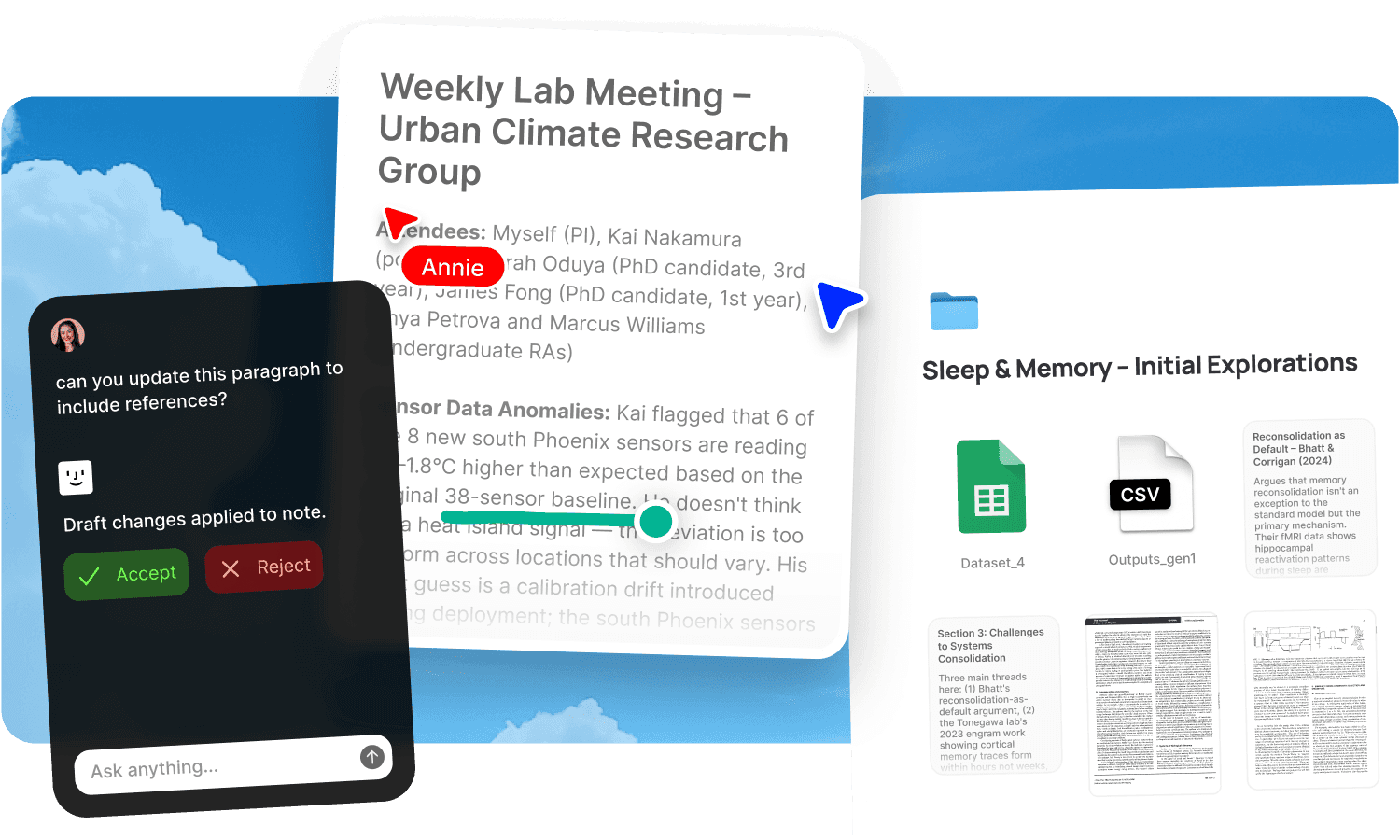
Teaching is a knowledge management problem that nobody calls a knowledge management problem. You have lesson plans from last year that need updating. Readings you've curated over a decade. Slides for three different courses. Research papers that inform your teaching. Student resources you want to share but not make fully public. Administrative documents for committees and reviews. Notes from faculty meetings. And all of it in a different state of organisation depending on when you created it, which device you were on, and which app felt closest at the time. The result is a decade of accumulated teaching material spread across drives, email, hard drives from previous institutions, and printed handouts you scanned once and filed somewhere.
Fabric gives educators one searchable workspace where lesson plans, course materials, research, and resources are all findable by meaning and shareable with students via controlled links.
Every teaching resource, searchable by meaning
Over years of teaching, the volume of accumulated material is enormous. Slide decks, reading lists, handouts, rubrics, sample assignments, exam papers, lecture notes, video recordings, audio from guest lectures, and PDFs of every paper you've assigned. Finding the right resource means remembering which course it was for, which year, and what you called the file. When you can't remember any of those, you rebuild it.
AI search reads inside every file and searches by meaning. Ask "the exercise on rhetorical analysis I used in the 2024 writing course" and find it by what it covers, not what it's named. Ask "papers I've assigned about cognitive load theory" and find them across every course's reading list. The search works across PDFs, slides, documents, notes, and audio transcripts.
The AI assistant works from your teaching library. Ask it to pull together every resource you've used on a topic across courses, suggest which readings are relevant for a new module, or summarise a paper you're considering adding to the syllabus.
Course planning with your whole library at hand
Planning a course means assembling readings, designing exercises, writing lectures, and structuring the semester. When the material you've built over years is searchable, the planning starts from a foundation rather than from scratch.
Use the canvas to plan a course visually: map the semester's topics, arrange readings, and place exercises alongside the lectures they support. Drag material from your library onto the canvas. See the shape of the course before committing to the sequence.
Write and update lesson plans in notes and docs. Link to the readings, slides, and resources each lesson draws on. When you teach the same course next year, the plan and its supporting materials are still connected and searchable.
Use tasks and reminders to track preparation deadlines, assignment due dates, and administrative commitments alongside the teaching materials they relate to.
Share resources with students, controlled and trackable
Sharing materials with students is an ongoing need: readings, supplementary resources, slides after a lecture, assignment briefs, rubrics. Email attachments are clumsy. Learning management systems are rigid. Shared drive links give more access than you intended.
Publish any resource or collection as a clean, shareable link. Add password protection so only students with the password can access the material. Use link analytics to see when students have accessed shared resources, which is useful for knowing whether the pre-reading was actually read before the seminar.
Update a resource in Fabric and the published link reflects the change. No re-sending. A single link per course can serve the whole semester, growing as you add materials week by week.
Research and teaching in the same workspace
Many educators are also researchers, and the two activities feed each other. A paper you read for a research project informs next semester's lectures. A student's question sends you back to a source you collected for a different purpose. The research and the teaching share material, but the tools usually don't.
In Fabric, your research library and your teaching library are the same searchable workspace. Papers saved for research are findable when you're planning a lecture. Lecture notes are searchable when you're writing a paper. The AI assistant can draw on both, so asking "what have I collected about metacognition" returns research papers, teaching notes, and student exercises together.
Annotate papers and readings with teaching-specific notes: "good example for intro lecture," "assign as pre-reading for week 6," "too advanced for undergrads." Those annotations are searchable alongside the academic content.
For the research workflow specifically, see Fabric for researchers and research projects.
Use cases for educators
The workflows educators run in Fabric: building a reading and learning library across teaching and research, conducting research projects with AI synthesis, building a second brain of professional knowledge that compounds over a career, content planning for course materials and lectures, capturing meeting notes from faculty meetings and student supervisions, and managing administrative documents alongside teaching materials.
For structured approaches, see the guides to building a template library and note-taking basics.
An educator's day in Fabric
Morning. You're preparing a lecture on a topic you last taught two years ago. You search "cognitive biases in decision making exercises" and find last time's lecture slides, three papers you assigned, and a case study you annotated with the note "students found this one most engaging." You update the slides in minutes rather than rebuilding them.
The lecture. You record the session with voice notes. A student asks a question that raises an angle you want to address next week. The transcript captures it, and you search for it later to plan the follow-up.
Afternoon. You publish this week's readings and supplementary resources with a password-protected link. Students access the materials with the course password. You can see via analytics how many have accessed them before the next seminar.
Late afternoon. You're reviewing a paper for a journal. You read it in Fabric's reader and annotate key claims. Your annotations are searchable, so when you teach this topic next semester, the paper and your marginal notes are findable.
End of day. A colleague forwards a reading recommendation. You send it to email-to-note. It joins your library, searchable alongside everything else, ready for whenever the topic comes up in teaching or research.
Get started
Put a career of teaching material into one searchable workspace and stop rebuilding resources you've already created. Try Fabric free.
For students using Fabric for their own studies, see Fabric for students. For academic research specifically, see Fabric for researchers. For research teams sharing a library, see Fabric for research teams.
FAQs
Can I search across a decade of teaching materials?
Yes. AI search reads inside every file type and searches by meaning. Find an exercise, a reading, or a slide deck by describing what it covers, not by remembering its filename or which course folder it's in.
Can the AI help me plan a course?
Yes. The AI assistant can pull together every resource you've used on a topic across courses, suggest relevant readings from your library, or summarise a paper you're considering for the syllabus.
Can I share resources with students via a link?
Yes. Publish any resource or collection with a shareable link. Add password protection for course-only access. Update materials and the link reflects the change without re-sending.
Can I see whether students accessed the pre-reading?
Yes. Link analytics show you who accessed a published link and when. Useful for knowing whether the class did the reading before the seminar.
Can I record and transcribe lectures?
Yes. AI voice notes capture and transcribe lectures, seminars, and supervisions. The transcript is searchable by content, so you can find the moment a specific topic was discussed.
Can I annotate papers with teaching-specific notes?
Yes. Annotate any paper or document with comments like "good for intro lecture" or "assign for week 6." Those annotations are searchable, so teaching-relevant notes surface alongside the academic content.
Can I use the canvas to plan a course visually?
Yes. The canvas lets you map a semester's topics, arrange readings, and place exercises alongside lectures. Drag material from your library onto the canvas.
Does Fabric work for both teaching and research?
Yes. Your research library and teaching library are the same searchable workspace. Papers, notes, and annotations are findable whether you saved them for research or teaching. The AI assistant draws on both.
Can I import existing materials from Google Drive?
Yes. Fabric connects to Google Drive, Dropbox, and Notion. Bring in existing course materials, readings, and documents without re-uploading.
Can I forward reading recommendations from email?
Yes. Forward any email to email-to-note and it joins your library, searchable alongside everything else.
Can I use Fabric on my phone?
Yes. The mobile app lets you capture ideas, save links, record voice notes, and search your library from anywhere. Everything syncs across devices.
Is student data and course material secure?
Yes. Fabric uses AES-256 encryption and is CASA Tier 2 compliant. Content is private by default. Published links can be password-protected so only students with the password can access course materials.
How is this different from a learning management system?
An LMS is designed for student-facing course delivery: enrolment, grading, submissions. Fabric is the educator's workspace: where you organise, search, and develop your teaching materials, alongside your research, across your entire career. They complement each other. The LMS delivers the course. Fabric is where the course is built and where the materials live long-term.