Blog
The new Fabric Canvas, and why we built it

Jonathan Bree
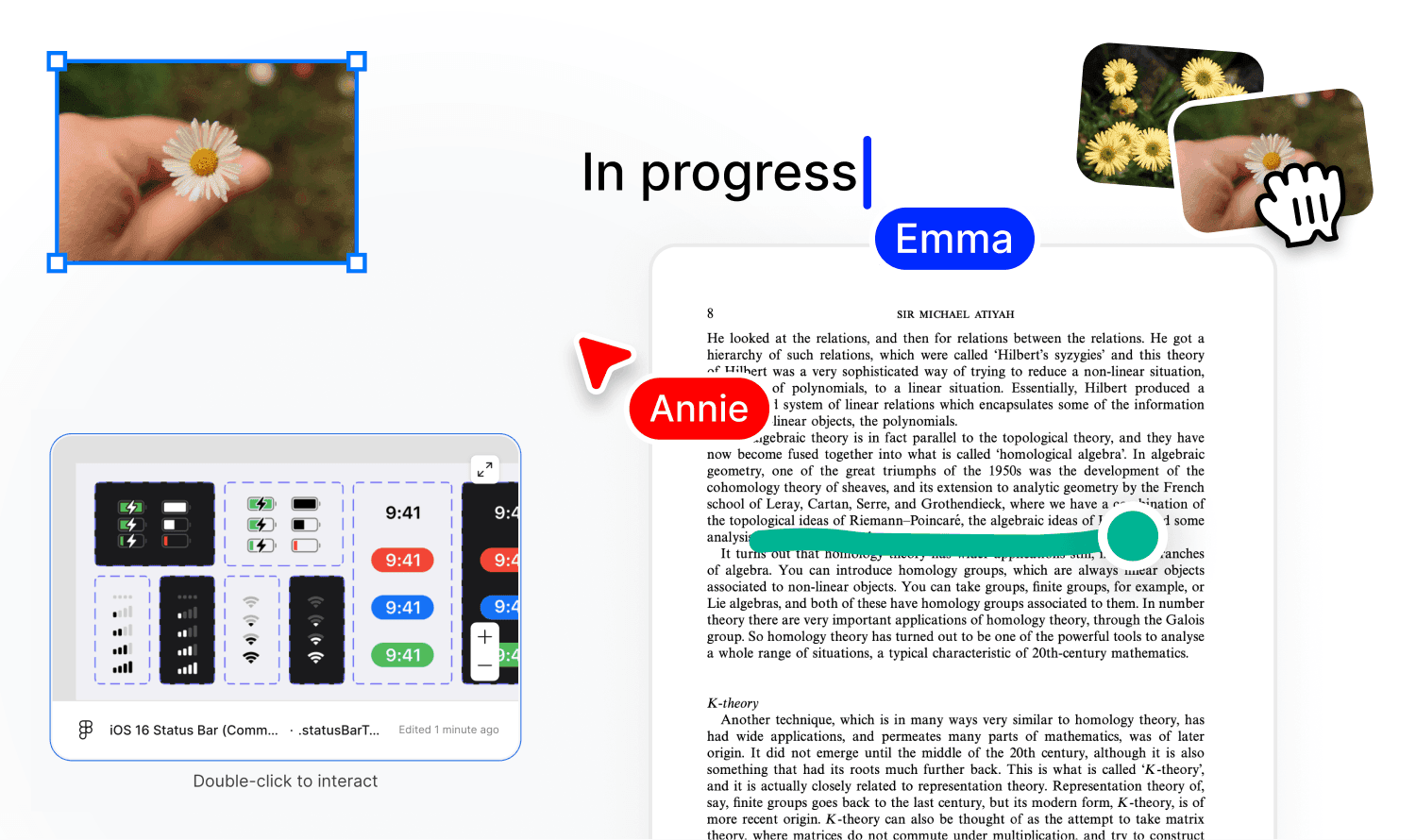
What is the new Canvas?
It's an infinite canvas for thinking spatially. Because some ideas don't fit in a document.
They need space. For example: A mood board for a rebrand. A research map connecting papers across disciplines. A project brainstorm where the shape of the arrangement is the insight.
You can't think spatially in a list.
Think of it like a tabletop where you can pour files, notes, links and anything else, and think by placing and moving them.
A place to do the thinking before the doing. You can even invite others and think together in real-time.
And it's not some separate tool you export things into. It's a canvas that's connected to everything in your library.
Why we built it
Fabric has always been about bringing your digital world together and helping you do more with it.
Today, your Fabric AI extracts, enriches, indexes, and connects everything you save. Search finds things by meaning. The assistant answers questions across your library.
But…
Sometimes you need to see things next to each other, move them around, play with them, make a mess.
Sometimes the relationship between two ideas only becomes obvious when you place them side by side on a surface and stare at them for a while.
Thinking is messy, and that can mean needing an explosive expansion of chaos before it resolves down to something simple.
Nothing difficult was figured out on a pristine desk.
So, the canvas gives your Fabric library a spatial dimension. All the same content that the AI understands, the same content you've arranged into spaces, and referenced in notes – now arrangeable spatially, with a heap of tools to scribble, think and make a mess.
A place to do real thinking.
What people are using it for
Mood boards. Drag images, colour palettes, links, and reference material from your library onto a canvas. Arrange them. Annotate them. Share with a friend, the team, or a client. Or keep them to yourself.
Research maps. Place papers, articles, and notes spatially. Draw connections between concepts. See the shape of a literature review instead of reading it as a list.
Project brainstorms. Sticky notes, freeform drawing, embedded documents. Everyone on the canvas at once. The brainstorm lives in your library alongside the project files it's about.
Client presentations. Arrange deliverables, reference material, and context on a canvas. Export as PNG for a deck, or share the canvas directly with publishing analytics so you know who looked at it.
Onboarding. New team member? A canvas with links to key documents, embedded videos, annotated screenshots, and sticky notes explaining how things work. More useful than a list of links in a doc.
Try it
The canvas is available now for all Fabric users.
Open a space, create a canvas, and start dragging things from your library onto it.
No setup. No learning curve. Just space to think.
Other blog posts:

The Creative's Cold Start Problem
How to Stop Losing Momentum Between Study Sessions
Your Future Self Can't Read Your Mind
The Hemingway Bridge: Stop Working So You Can Start Again

Your ERP Has the Answers. Nobody Can Find Them.
The Usability Layer Your Business Systems Are Missing
Handwritten vs Digital Notes: You Shouldn't Have to Choose
Why Your Handwritten Notes Are Unsearchable (And What to Do About It)