Research Paper Summary
A quick but thorough way to process a paper and make it useful to your own work.
About
What is the Research Paper Summary template?
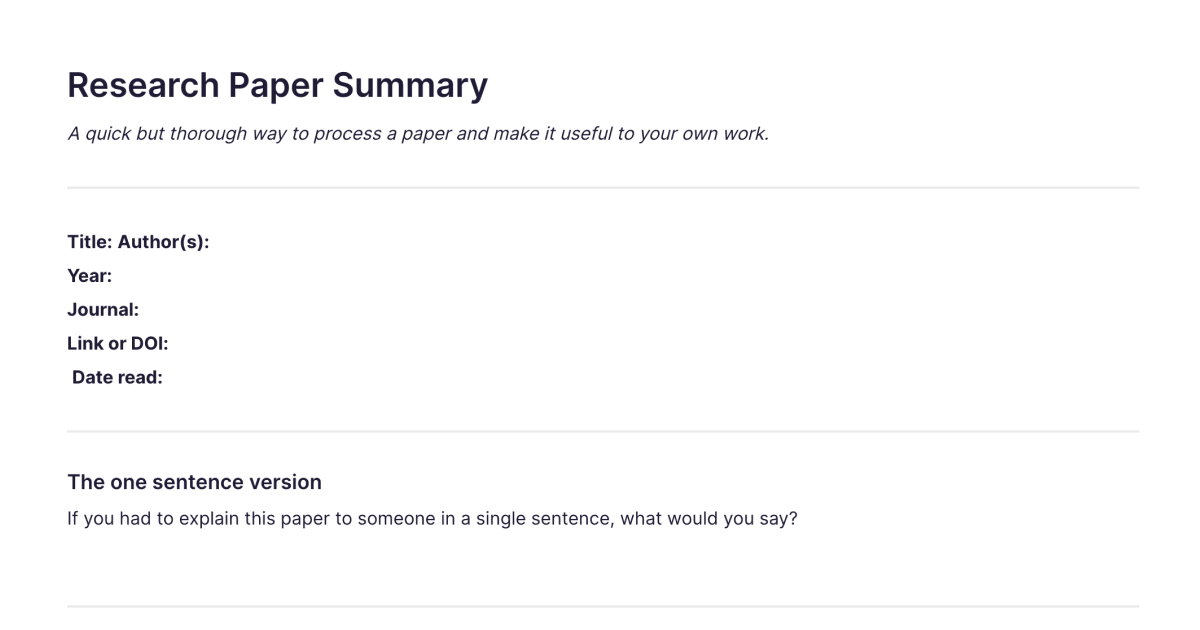
The Research Paper Summary template is a structured note for reading an academic paper properly and capturing it so it's still useful months later. It walks you from a one-sentence version of the paper through its background, method, findings, and limitations, to what it means and how it relates to your own work. You add it to your workspace once and duplicate it for each paper you read. It's the quick-but-thorough way to turn a paper you've read into something you can actually use, rather than a PDF you half-remember and never reopen.
What's laid out for you
The template prompts for the things that turn passive reading into understanding:
The one-sentence version. If you had to explain the paper to someone in a single sentence, what would you say? Forcing the whole paper into one line is the fastest test of whether you actually understood it.
Background and method. What problem the paper addresses and what gap it fills, and how the researchers went about it. Capturing the method is what lets you judge how much weight the findings can bear.
Key findings and what they mean. The results in your own words, and the broader implications, why the paper matters beyond its own data.
Limitations and questions it raises. What the authors acknowledge and what you'd add, plus the threads you want to follow up. This is what keeps a paper generative rather than a dead end.
How it relates to your work, key terms, and citation. Whether it supports, challenges, or opens a new direction for your own thinking, any specialist language worth keeping, and the full reference ready for when you cite it.
A few minutes filling this in after reading saves the much larger effort of re-reading the paper later to remember what was in it.
How it works in Fabric
Papers pile up fast, and a folder of PDFs is only as useful as your ability to find the right one again. In Fabric, every summary is searchable by meaning, so you can find a paper by describing its finding or argument, not by remembering the title or author. You can annotate the PDF and tie your highlights to the summary, keeping the paper and your reading of it together.
The AI assistant can work across your summaries, telling you what you've read on a topic, comparing what two papers found, or surfacing the ones relevant to a question you're working on. And because your summaries sit in the same library as your other notes and drafts, a paper you read for one project resurfaces when it becomes relevant to another, rather than being lost to the project it was filed under.
How to use it
Add it once. Install the template from the store and it's in your workspace.
Duplicate it per paper. Make a copy for each paper you read, named for the paper.
Start with the one-sentence version. Capture the gist in a line first, then fill in the method, findings, limitations, and what it means for you.
Keep the questions and connections. Note what the paper leaves open and how it relates to your work, so reading one paper feeds the next thing you do rather than ending with the last page.
Related templates and guides
This template is for processing a single paper well. When you're reading many sources to build a specific argument, the Literature Review template is the companion: it's the same critical reading, focused on how each source connects to your argument and to the others. For reading a whole book rather than a paper, the Book Notes template and book notes guide fit better. And the research workflow guide covers the wider capture-read-synthesise habit these summaries are part of, with the dissertation workflow guide for when the reading feeds a larger project. When the reading turns into a piece of writing, the Essay Outline template is where you build the argument.
Frequently asked questions
What is the Research Paper Summary template?
It's a free Fabric note for reading an academic paper, with prompts for a one-sentence version, the background and method, key findings, limitations, what it means, how it relates to your work, key terms, and the citation. You add it once and duplicate it for each paper.
How do I use it?
Read the paper, then capture the gist in a single sentence and fill in the method, findings, limitations, and implications, plus how it connects to your own work. Each copy is a normal Fabric note, so it's searchable and can link to the PDF.
Is it free?
Yes. The Research Paper Summary template is free to add and use.
How is this different from the Literature Review template?
This template is for understanding and capturing any single paper well. The Literature Review template is for the same critical reading when you're building one specific argument across many sources, so its focus is on how each source connects to your argument and to the others. Use this to process a paper; use the literature review note when those papers are evidence for a review.
Can the AI assistant help me across my paper summaries?
Yes. The AI assistant can draw across your summaries, telling you what you've read on a topic, comparing findings, or surfacing the papers relevant to your current question.
Can I keep the paper PDF with the summary?
Yes. Your summaries live in the same library as the PDFs, and you can annotate a paper and connect your highlights to its summary, all searchable by meaning.
Is this only for journal articles?
It's designed for academic papers, but the structure works for any rigorous source, working papers, reports, or long-form articles. For reading a whole book, the book notes guide is a better match.
Can I use it on my phone?
Yes. With the mobile app you can summarise a paper wherever you read it, and your notes sync across your devices.
Where can I learn the wider research habit?
The research workflow guide covers capturing, reading, and synthesising sources, the practice these summaries are one part of.
What is Fabric?
Fabric is an AI workspace for your projects, ideas, and files.
Save anything – PDFs, images, links, notes, voice memos, videos – and search across all of it by meaning, not just keywords. Think visually on an infinite canvas, connect your tools like Gmail, Google Drive, Notion, and Figma, and work alongside a personal AI assistant that knows your work, remembers your context, and gets smarter the more you use it.
Available on web, iOS, Android, and desktop.
