Weekly Review (Work)
A structured hour to close out the week, assess where things stand, and walk into Monday with clarity.
About
What is the Weekly Review (Work) template?
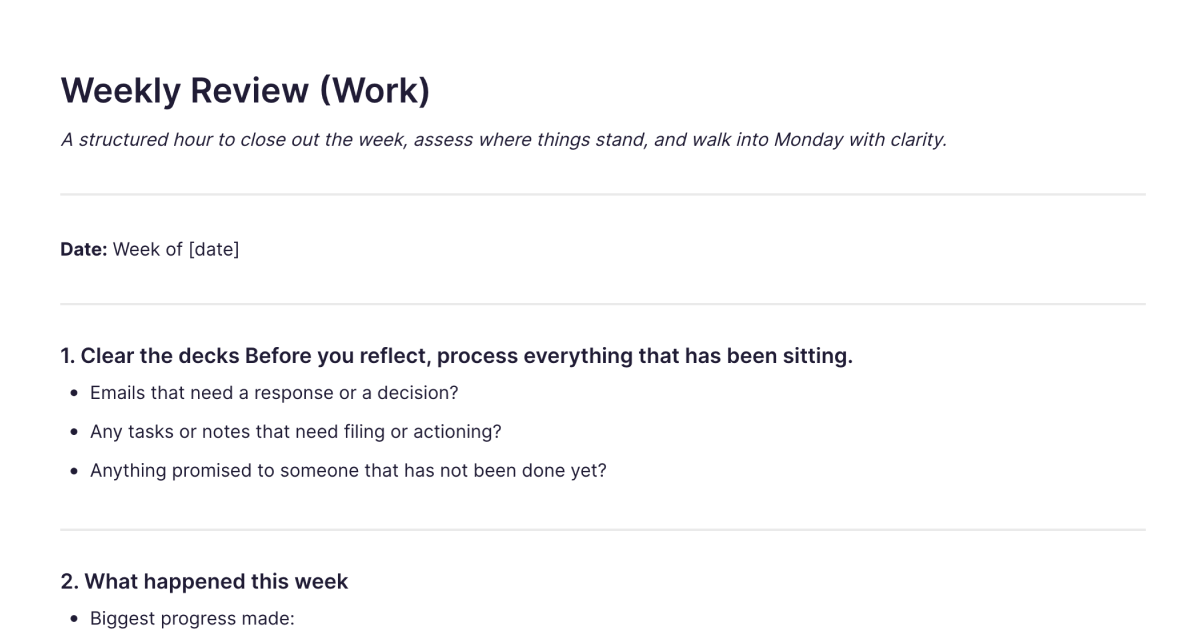
The Weekly Review (Work) template is a structured note for closing out your working week, an hour that processes what's been piling up, reviews where things stand, and sets you up to start Monday with clarity instead of a vague sense of everything you've left undone. It walks you from clearing your inbox and open commitments, through reflecting on the week, to choosing the few priorities that actually matter next week. You add it to your workspace once and duplicate it each week.
The weekly review is the habit that keeps a working life from running on reaction. Without it, the urgent crowds out the important and you arrive each Monday already behind. An hour to step back is what keeps you ahead of the week rather than chased by it.
What's laid out for you
The template moves through the week in a deliberate order:
Clear the decks. Before reflecting, process what's been sitting, emails needing a response or decision, tasks or notes to file or action, anything promised to someone that's still undone. Getting these off your plate is what lets the rest of the review be honest.
What happened, and open loops. The biggest progress, what stalled, a decision worth remembering, something you learned, and the projects or conversations that are unfinished or waiting on someone else.
People. Who you need to follow up with, who to check in on or acknowledge, and any working relationships that need attention, the part most reviews skip.
How the week went. Where your time and energy actually went, whether that was the right place for it, and what got in the way. An honest read here is what changes next week.
Next week, and the bigger picture. Three priorities that genuinely matter, commitments to prepare for, one thing to protect time for, one thing to stop or do less of, and a brief check against your longer-term goals to make sure the right things are getting attention.
How it works in Fabric
A weekly review is far more useful when each week's note connects to the last. In Fabric, your reviews are searchable by meaning, so you can look back across weeks, when a recurring blocker first appeared, what you said you'd stop doing a month ago, by describing it. The priorities and follow-ups you set can become tasks and reminders, so the review produces action rather than just reflection.
The AI assistant can read across your reviews and surface what you'd miss week to week, patterns in where your time goes, open loops that keep reappearing, priorities that never get protected. And because your reviews sit alongside your meeting notes, project docs, and tasks, the "clear the decks" and follow-up steps connect to the actual material they refer to rather than being a list in isolation.
How to use it
Add it once. Install the template from the store and it's in your workspace.
Duplicate it each week. Make a copy at the end of the week, a consistent time helps it stick.
Clear before you reflect. Process the inbox and open commitments first, then review the week with a clear head.
Set three priorities and protect them. Choose what actually matters for next week, turn it into tasks, and decide what to stop doing to make room.
Related templates and guides
For a weekly review of your life rather than your work, energy, relationships, and personal projects rather than the inbox and next week's priorities, the Personal Weekly Review template is the companion. The weekly review guide covers the practice in depth, and time blocking pairs well for protecting the priorities you set. The reviews also work alongside your Meeting Notes and 1:1 Meeting Notes, since following up on action items is part of closing the week.
Frequently asked questions
What is the Weekly Review (Work) template?
It's a free Fabric note for closing out your working week, with sections to clear your inbox and commitments, review what happened, track open loops and people to follow up with, and set next week's priorities. You add it once and duplicate it each week.
How do I use it?
At the end of the week, process what's been sitting, reflect on what happened and where your time went, then set three priorities for next week and decide what to protect and what to stop. Each copy is a normal Fabric note, so it's searchable and its actions can become tasks.
Is it free?
Yes. The Weekly Review (Work) template is free to add and use.
How is this different from the Personal Weekly Review?
This template is for your work: clearing the inbox, tracking projects and decisions, and planning next week's professional priorities. The Personal Weekly Review template points the same reflective habit at your life, your energy, relationships, and personal goals, without the work-planning framing. Many people do both.
How long does a weekly review take?
The template is designed for about an hour, but it works in less. Even fifteen minutes spent clearing the decks and setting three priorities is a significant improvement over starting Monday cold.
Can the priorities become tasks?
Yes. The priorities and follow-ups you set can become tasks and reminders, so the review turns into action during the week rather than a note you don't revisit.
Can the AI show me patterns across my weeks?
Yes. The AI assistant can read across your reviews and surface recurring blockers, where your time keeps going, and priorities that never get protected.
When should I do my weekly review?
Whenever consistently works, Friday afternoon to close the week, or Monday morning to open it. The benefit comes from doing it regularly, not from the exact timing.
Can I use it on my phone?
Yes. With the mobile app you can run your weekly review wherever you are, and it syncs across your devices.
Where can I learn the weekly review habit?
The weekly review guide covers what a weekly review is for and how to build it into a habit that sticks.
What is Fabric?
Fabric is an AI workspace for your projects, ideas, and files.
Save anything – PDFs, images, links, notes, voice memos, videos – and search across all of it by meaning, not just keywords. Think visually on an infinite canvas, connect your tools like Gmail, Google Drive, Notion, and Figma, and work alongside a personal AI assistant that knows your work, remembers your context, and gets smarter the more you use it.
Available on web, iOS, Android, and desktop.
