Meeting Notes
A simple structure to capture what matters and make sure nothing falls through the cracks.
About
What is the Meeting Notes template?
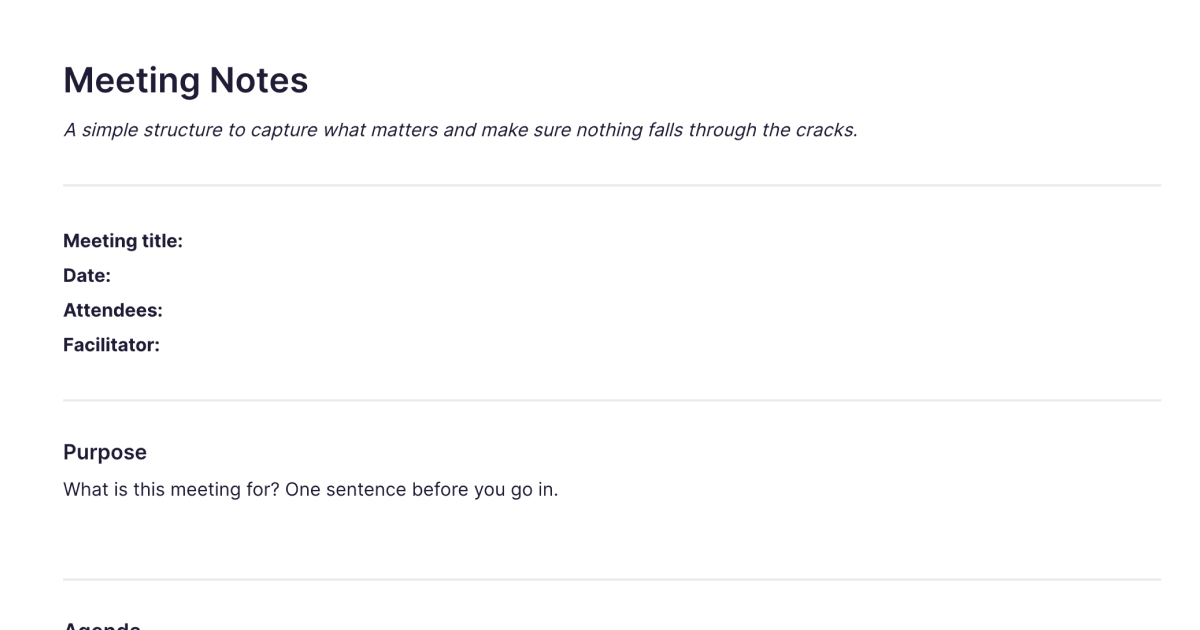
The Meeting Notes template is a simple structure for capturing a meeting so the things that matter, decisions, actions, and open questions, are recorded and owned rather than forgotten the moment everyone logs off. It gives you a clear place for the purpose, agenda, notes, decisions, and action items, so you can pay attention to the conversation and still walk away with a record you can act on. You add it to your workspace once and duplicate it for each meeting.
Most meeting notes fail in the same way: lots of discussion captured, but no clear record of what was decided or who's doing what. This template is built around the opposite, capturing the few things that actually need to outlive the meeting.
What's laid out for you
Purpose and agenda. One sentence on what the meeting is for, written before you go in, and the agenda. Naming the purpose is the simplest way to keep a meeting on track.
Notes. Space for what was discussed, with a deliberate steer: don't try to capture everything, focus on decisions, insights, and anything that surprised you.
Decisions made. The things that were agreed, stated specifically. A clear decision record is what stops the same question being reopened a week later.
Action items. The most important section: who is doing what, by when, with owners and due dates. Actions without an owner are the things that fall through the cracks.
Questions that came up, and the next meeting. Things raised but not resolved, each needing someone to own it, plus the date, purpose, and attendees for next time. A private notes-to-self space catches anything you want to follow up on quietly.
How it works in Fabric
A meeting note is only useful if you can find it and act on it afterwards. In Fabric, every meeting note is searchable by meaning, so you can find the meeting where something was decided by describing it, not by remembering the date or digging through a folder. Action items can become tasks and reminders, so what was agreed actually gets done rather than living only in the notes.
You can record the meeting as a voice note and let Fabric transcribe it, freeing you to take part rather than scribble, then keep the decisions and actions from the transcript. The AI assistant can pull the action items out of a long note, summarise what was decided, or gather what's been agreed across a run of meetings on the same project. And because your notes sit in your wider library, a meeting connects to the documents and threads it relates to rather than sitting on its own.
How to use it
Add it once. Install the template from the store and it's in your workspace.
Duplicate it per meeting. Make a copy for each meeting, with its title, date, and attendees.
Set the purpose before you go in. One sentence on what the meeting is for keeps the discussion focused.
Capture decisions and actions, not everything. Note what was decided and who owns each action and question, then turn the actions into tasks so nothing is dropped.
Related templates and guides
For recurring one-on-ones with the same person, where the value is preparing and following through over time rather than capturing a single session, the 1:1 Meeting Notes template is the companion, a running note per relationship. The meeting notes guide covers running and capturing meetings well in general, and the weekly review guide pairs naturally for reviewing your open action items each week.
Frequently asked questions
What is the Meeting Notes template?
It's a free Fabric note with a simple structure for capturing a meeting: purpose, agenda, notes, decisions, action items with owners and due dates, open questions, and the next meeting. You add it once and duplicate it for each meeting.
How do I use it?
Set the purpose before the meeting, capture decisions and discussion during, and record action items with owners and due dates. Each copy is a normal Fabric note, so it's searchable and can hold text and voice.
Is it free?
Yes. The Meeting Notes template is free to add and use.
How is this different from the 1:1 Meeting Notes template?
This template is per-meeting, for group meetings, project syncs, and calls, focused on the purpose, decisions, and action items of a single session. The 1:1 Meeting Notes template is a running note for recurring one-on-ones with one person, built around preparing and following through on a relationship over time. Use this for meetings; use that for your regular 1:1s.
Can I turn action items into tasks?
Yes. Action items can become tasks and reminders in Fabric, so what was agreed in the meeting actually gets followed up.
Can I record and transcribe the meeting?
Yes. Record a voice note and Fabric transcribes it, so you can take part in the meeting and keep the decisions and actions from the transcript afterwards.
Can the AI pull out the decisions and action items?
Yes. The AI assistant can extract the action items from a note, summarise what was decided, or gather what's been agreed across several meetings on the same project.
Can I find a past meeting by what was discussed?
Yes. Every note is searchable by meaning, so you can find a meeting by describing what was covered or decided, without remembering when it happened.
Can I use it on my phone?
Yes. With the mobile app you can take meeting notes or record a meeting wherever you are, and it syncs across your devices.
Where can I learn to run better meetings?
The meeting notes guide covers capturing meetings well, from setting a purpose to tracking decisions and follow-ups.
What is Fabric?
Fabric is an AI workspace for your projects, ideas, and files.
Save anything – PDFs, images, links, notes, voice memos, videos – and search across all of it by meaning, not just keywords. Think visually on an infinite canvas, connect your tools like Gmail, Google Drive, Notion, and Figma, and work alongside a personal AI assistant that knows your work, remembers your context, and gets smarter the more you use it.
Available on web, iOS, Android, and desktop.
