Lecture Notes (Cornell Method)
A structured way to capture, process, and retain what you learn.
About
What is the Lecture Notes (Cornell Method) template?
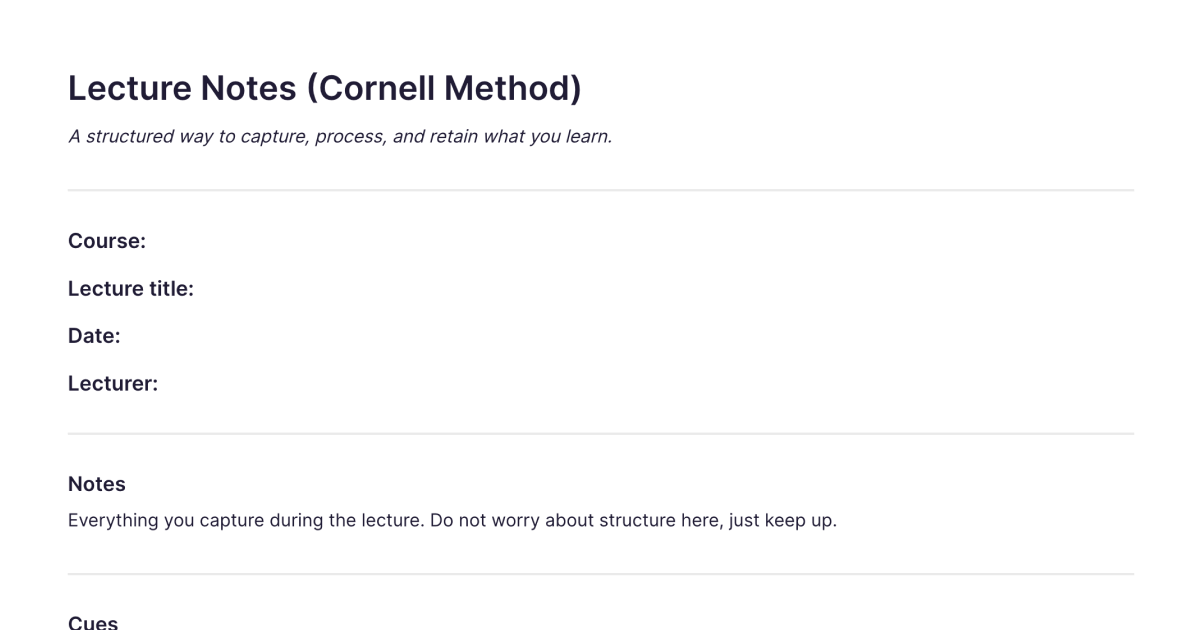
This is a ready-made note in the Cornell format, the structured note-taking layout designed for capturing a lecture or class and then reviewing it so it actually sticks. It lays out the three Cornell zones for you, the notes area, the cue column, and the summary, so you can take notes the way the method intends without ruling up the page yourself. You add it to your workspace once and duplicate it for each lecture or session.
The Cornell method's whole point is that taking notes and remembering them are two different jobs. The layout builds the second job, review, into the page, which is what separates it from notes that get written once and never opened again.
What's laid out for you
The notes area. The main space, where you capture during the lecture: main ideas, supporting detail, examples. Quick and personal, whatever keeps up with what's being said.
The cue column. A narrower column you fill in afterwards with questions, keywords, and prompts drawn from your notes. Later you cover the notes and use these cues to test yourself, which is the retrieval practice that does most of the actual learning.
The summary. A few lines at the bottom, written after the session, putting the page's main point in your own words. Writing it confirms you understood rather than just transcribed.
You take notes in the main area during the lecture, fill in the cue column and summary just after, and review from the cues later. The structure carries you through capture, processing, and review in turn.
How it works in Fabric
A paper Cornell notebook does the structure well but can't be searched, and its notes sit unconnected once the page is full. Keeping your Cornell notes in Fabric keeps the format and adds what paper can't.
Every note is searchable by meaning, so months later you can find what a lecture covered by describing it, and the index a paper system needs is unnecessary. Notes from different lectures on the same topic sit together in one library, so the threads across a course are easy to follow. You can record the lecture as a voice note and let Fabric transcribe it, freeing you to focus on understanding while you capture, then do the cue and summary work, the parts where the learning happens, from the transcript. And the AI assistant can quiz you from your cue column, summarise across several lectures, or pull together everything you've noted on a topic before an exam.
How to use it
Add it once. Install the template from the store and it's in your workspace.
Duplicate it per lecture. Make a copy for each lecture or session, titled and dated.
Capture, then process. Take notes in the main area during the session; soon after, while it's fresh, fill in the cue column and write the summary.
Review from the cues. Cover the notes and test yourself from the cue column, and come back at intervals. Spaced review holds far more than a single cram before the exam.
Learn the method
This template gives you the format ready to use; for the full method, the three sections in depth, the five Rs, the research on why it improves retention, and how to adapt it digitally, the Cornell method guide is the complete walkthrough. For how Cornell notes fit into a broader approach to studying, see building a student study system and note-taking basics. For reading and retaining a text rather than a lecture, the SQ3R Study Notes template is the companion method.
Frequently asked questions
What is the Cornell method?
The Cornell method is a note-taking format that splits the page into a notes area, a cue column for questions and keywords, and a summary. You capture during a lecture, fill in the cues and summary afterwards, and review by testing yourself from the cues. The Cornell method guide explains it in full.
What is this template?
It's a free Fabric note with the three Cornell zones, notes, cue column, and summary, already laid out, so you can take Cornell notes without setting up the structure. You add it once and duplicate it for each lecture.
How do I use it?
Duplicate it for each lecture, take notes in the main area, fill in the cue column and summary just after, and review from the cues later. Each copy is a normal Fabric note, so it's searchable and can hold text, voice, and images.
Is it free?
Yes. The Lecture Notes (Cornell Method) template is free to add and use.
Can I record and transcribe the lecture?
Yes. Record a voice note and Fabric transcribes it, so you can capture the lecture as audio and do the cue and summary work from the transcript afterwards.
Can the AI quiz me from my notes?
Yes. The AI assistant can test you using your cue column, summarise across several lectures, or gather everything you've noted on a topic.
Does it only work for lectures?
No. The Cornell format suits any content you want to capture and retain, lectures, dense meetings, training sessions, or reading. The capture-then-review structure works the same way whatever the source.
Can I find my notes from a specific lecture later?
Yes. Every note is searchable by meaning, so you can find a lecture by describing what it covered, without remembering the date, and notes stay searchable indefinitely.
Can I use it on my phone?
Yes. With the mobile app you can take notes, record a lecture as a voice note, or review from your cues on the go, and everything syncs across your devices.
Where can I learn the full Cornell method?
The Cornell method guide is a complete walkthrough of the layout, the five steps, the research behind it, and how to adapt it for digital note-taking.
What is Fabric?
Fabric is an AI workspace for your projects, ideas, and files.
Save anything – PDFs, images, links, notes, voice memos, videos – and search across all of it by meaning, not just keywords. Think visually on an infinite canvas, connect your tools like Gmail, Google Drive, Notion, and Figma, and work alongside a personal AI assistant that knows your work, remembers your context, and gets smarter the more you use it.
Available on web, iOS, Android, and desktop.
