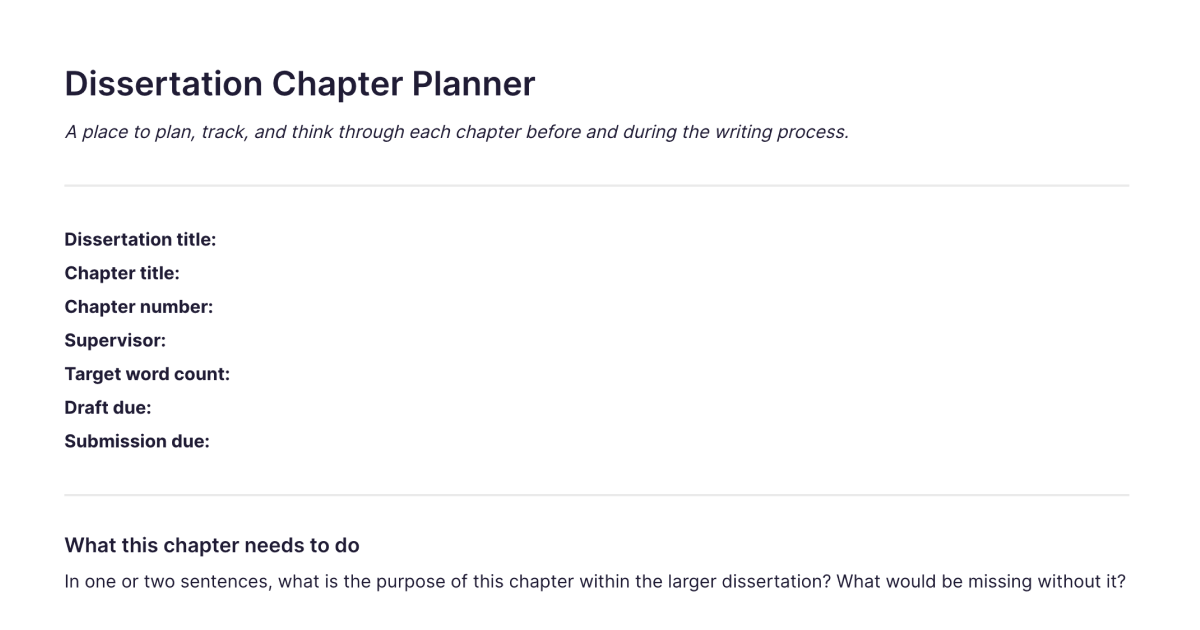
Dissertation Chapter Planner
A place to plan, track, and think through each chapter before and during the writing process.
About
What is the Dissertation Chapter Planner?
The Dissertation Chapter Planner is a ready-made note for thinking through one chapter of a dissertation or thesis, before and during the writing. It gives you a place to set out what the chapter is meant to do, sketch its shape, track where the draft has got to, and hold the questions you still need to resolve. You add it to your workspace once and duplicate it for each chapter, so every chapter gets its own planner rather than living as a vague intention in your head.
A dissertation stalls less often on the ideas than on the project management of a long piece of work. Planning at the chapter level, one chapter at a time, is what keeps a months-long project moving without having to hold the whole thing in mind at once.
What's laid out for you
The planner gives you a section for each part of thinking a chapter through:
The chapter's aim and argument. What this chapter is for, and what it contributes to the dissertation's overall argument. Writing this down first is what stops a chapter becoming a sequence of summaries with no point of its own.
An outline. The shape of the chapter, the sections or moves it will make, so you have a map before you start writing and a way to see whether the structure holds as it develops.
Draft status. Where the writing has actually got to: what's drafted, what's rough, what's still untouched. A clear view of progress across chapters is what tells you where to put tomorrow's writing time.
Open questions. The things you haven't resolved yet, gaps in the reading, a point to raise with your supervisor, a tension in the argument. Holding these in the planner means they're waiting for you rather than nagging at you.
You fill in each section as the chapter develops, and the planner becomes a living record of where that chapter stands.
How it works in Fabric
Because each planner is a Fabric note, your chapter plans sit alongside everything else you've gathered for the dissertation, your sources, reading notes, and drafts, all in one searchable place. You can search by meaning across the lot, so finding what you noted about a chapter, or the source that belongs in it, doesn't depend on remembering where you filed it.
The AI assistant can work from your own collected material: ask it what a source argued, what you've gathered on a particular question, or to pull together your notes relevant to the chapter you're planning. You can keep an open question as a voice note when it comes to you mid-reading, and add a task or reminder for the things a chapter needs you to chase. Everything stays connected, so a chapter planner isn't an island, it's tied to the material it draws on.
How to use it
Add it once. Install the template from the store and it's in your workspace.
Duplicate it per chapter. Make a copy for each chapter, named for what that chapter covers.
Plan before you write, update as you go. Set the aim and argument and a rough outline early, then keep the draft status and open questions current as the chapter develops.
Write in the order that's ready. A planner per chapter lets you work on whichever chapter you're most ready to write, rather than stalling on the introduction, and see at a glance how the others stand.
Learn the full workflow
This template handles planning at the chapter level. For the wider dissertation process, managing sources over months, developing your argument, working with a supervisor, maintaining momentum through the long middle, the dissertation workflow guide is the complete walkthrough. The literature review guide covers the chapter most students find hardest to structure, and its companion Literature Review template gives you a per-source note for the reading that chapter is built on. The research workflow guide covers the capture-read-synthesise habit that feeds every chapter.
Frequently asked questions
What is the Dissertation Chapter Planner template?
It's a free Fabric note with sections for a single chapter's aim and argument, outline, draft status, and open questions. You add it once and duplicate it for each chapter of your dissertation or thesis.
How do I use it?
Duplicate the planner for each chapter, set out what the chapter is for and a rough outline, then keep its draft status and open questions updated as you write. Each copy is a normal Fabric note, so it's searchable and sits alongside your sources and drafts.
Is it free?
Yes. The Dissertation Chapter Planner is free to add and use.
Is it one planner for the whole dissertation, or one per chapter?
One per chapter. You duplicate it for each chapter so each has its own plan, which makes a long project easier to move through than a single document trying to track everything at once.
Can I keep my sources and notes with my chapter plans?
Yes. Your planners live in the same Fabric library as your PDFs, reading notes, and drafts, all searchable by meaning, so a chapter's plan stays connected to the material it draws on.
Can the AI assistant help with my chapter?
Yes. The AI assistant works from your collected material, so it can tell you what a source argued, gather what you've saved on a question, or pull together notes relevant to the chapter you're planning.
Does it work for a master's thesis as well as a PhD dissertation?
Yes. The per-chapter planning approach suits any long, chaptered piece of academic writing, whether it's called a thesis or a dissertation.
Can I use it on my phone?
Yes. With the mobile app you can update a chapter's status or capture an open question as a voice note wherever you are, and it syncs across your devices.
Where can I learn how to run a dissertation end to end?
The dissertation workflow guide is a complete walkthrough of the whole process, from setup and source management through writing and the final stretch.
What is Fabric?
Fabric is an AI workspace for your projects, ideas, and files.
Save anything – PDFs, images, links, notes, voice memos, videos – and search across all of it by meaning, not just keywords. Think visually on an infinite canvas, connect your tools like Gmail, Google Drive, Notion, and Figma, and work alongside a personal AI assistant that knows your work, remembers your context, and gets smarter the more you use it.
Available on web, iOS, Android, and desktop.
